Simple CMS. Commerce ready when needed.
Simple CMS. Commerce ready.
Build a simple presentation website with pages, menus, media, SEO, forms, stats, and backups. Add product catalog and Stripe Checkout blocks only when products or payments are needed.
- Presentation sites
- Pages, menus, media, SEO, forms, stats, and backups without a heavy shop setup.
- Commerce when needed
- Add product catalog and Stripe Checkout blocks to normal CMS pages.
- Remote admin
- Manage simple site content, catalog items, checkout products, Stripe settings, and operations from clicks.
Nimbus is built for simple presentation websites first. When a business needs products or payments, the same CMS adds product catalog blocks, Stripe Checkout buy boxes, forms, SEO, stats, backups, and remote operations without turning into a complex shop system.
Nimbus CMS starts with the everyday website: pages, menus, media, forms, SEO, stats, backups, and a lightweight public runtime. When a project needs products or payments, the same editor can add catalog and Stripe Checkout blocks without changing the site structure.
Why it feels different
The public website and the admin are separate concerns. The site renders content and exposes a secure management API. The control plane handles editing, configuration, previews, and operations. Plugins add capabilities without turning the core into a monolith.
Simple by default. Commerce ready when needed.
Start with a presentation site. Add products and payments later.
Nimbus handles the everyday website first: pages, menus, media, forms, SEO, stats, backups, and remote admin. When a site needs commerce, editors add product catalog blocks and Stripe Checkout buy boxes to normal pages without switching to a complex shop system.
Generated website and admin demos
Reference websites and admin areas built in the Nimbus sandbox
Each example pairs a public website screenshot with a generated admin area screenshot for the same imagined project. They are illustrative demos, not customer websites, and show how the same CMS foundation can support different site structures, designs, menus, stats, and workflows.
Menus for content, media, settings, and operations.Stats placed next to the work they explain.Actions for previewing, publishing, and managing changes.
Service business
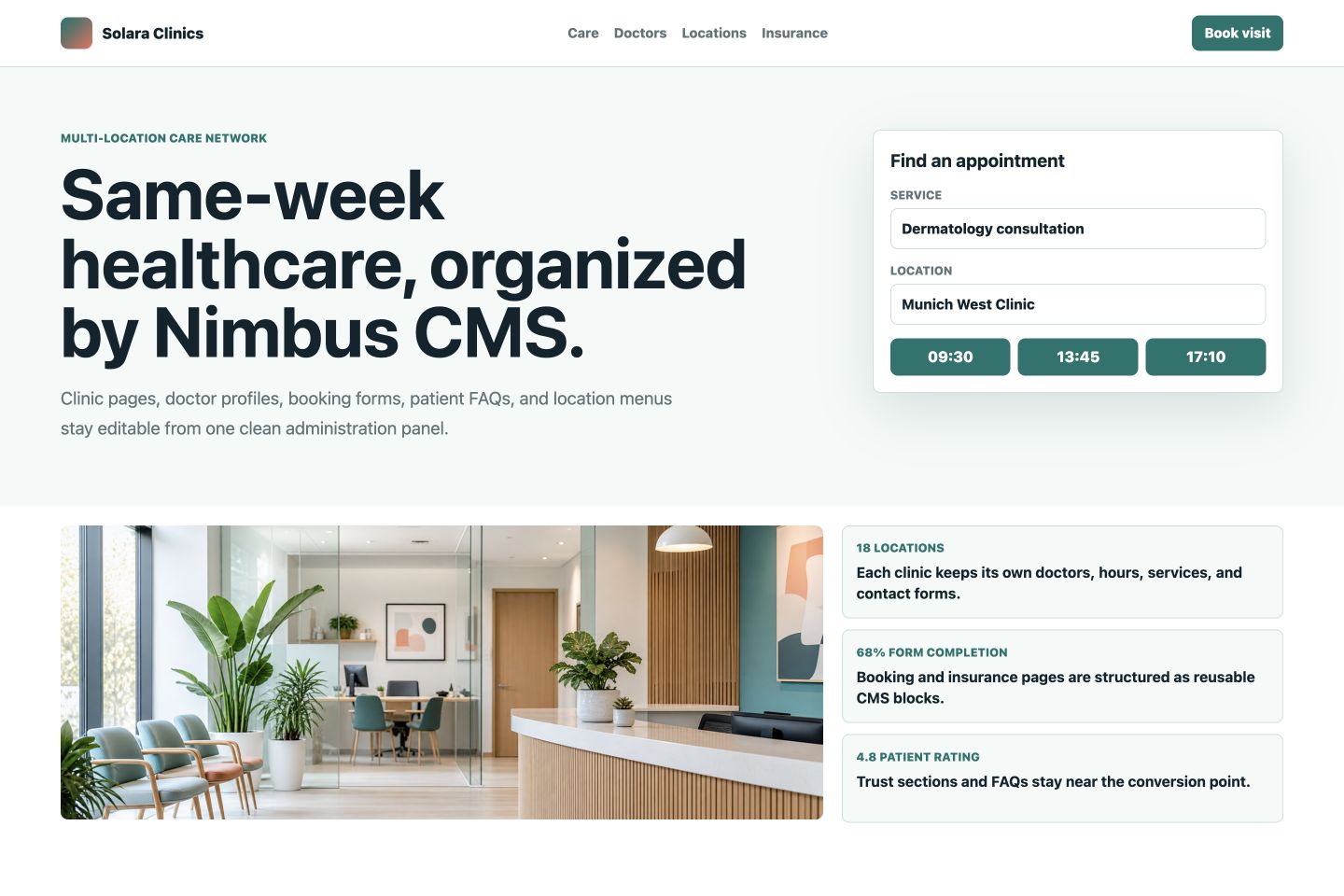
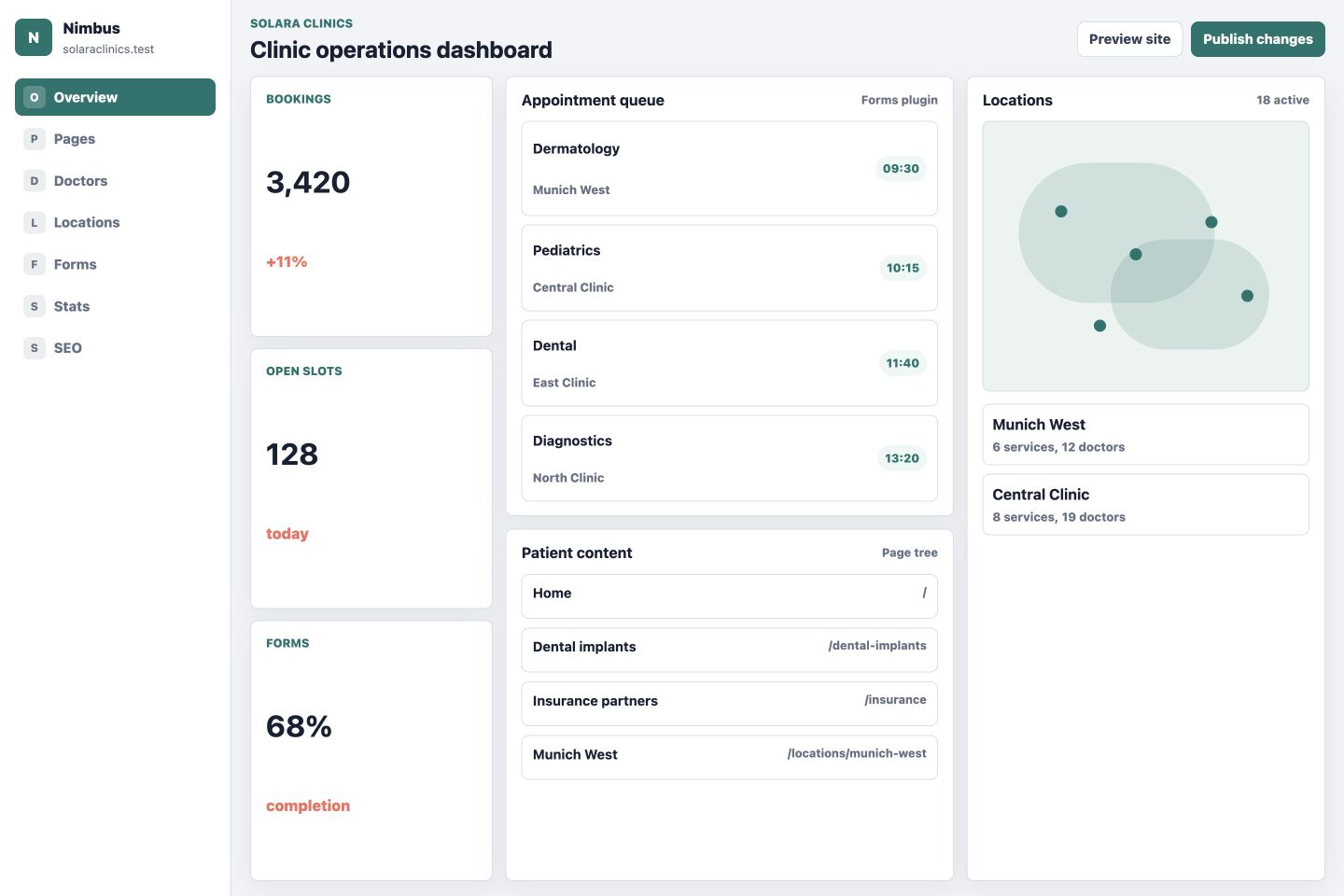
Clinic network with booking, locations, forms, and patient content
- Public pages organized around appointments and trust.
- Admin area focused on bookings, clinic locations, doctors, forms, and content structure.
Product marketing
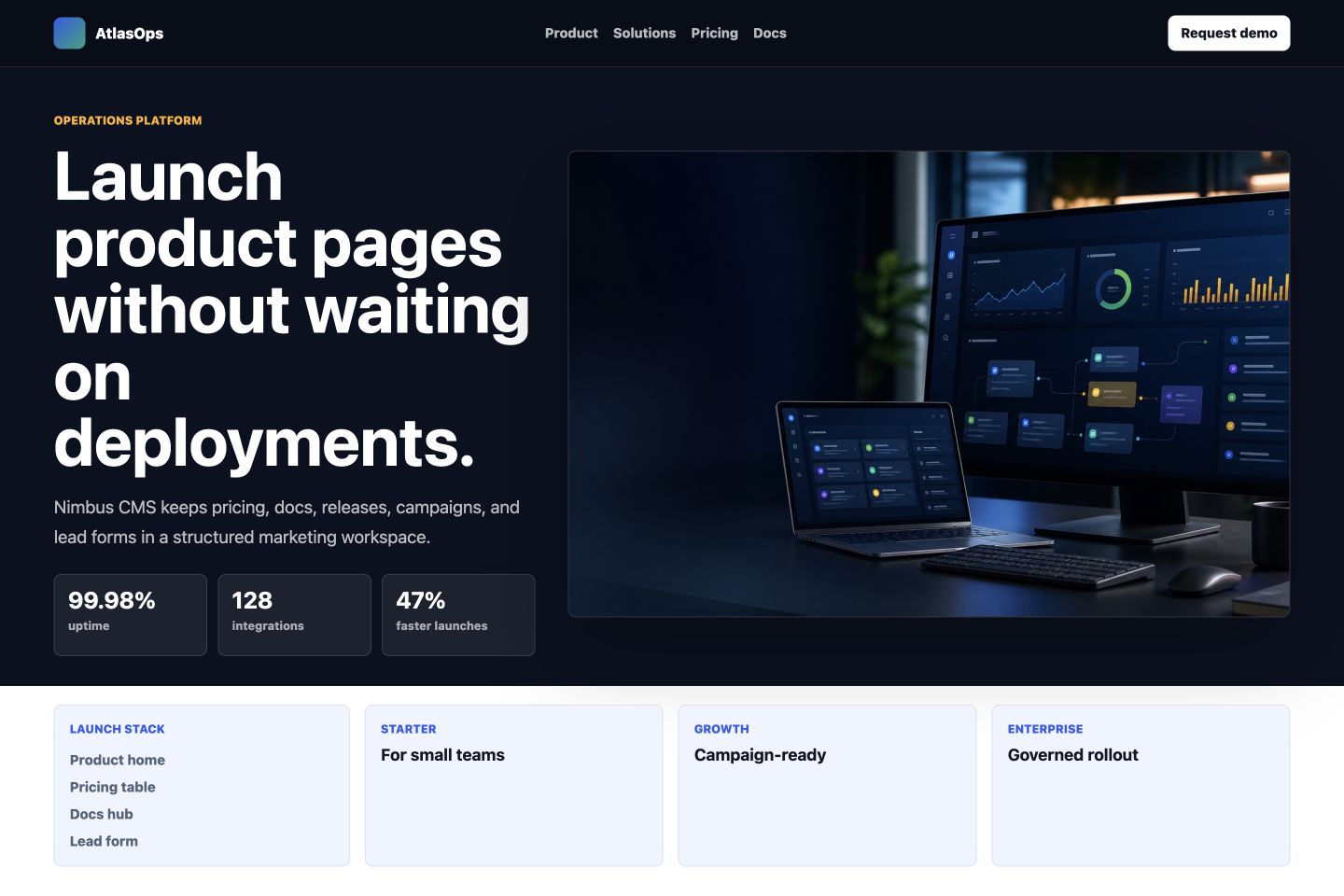
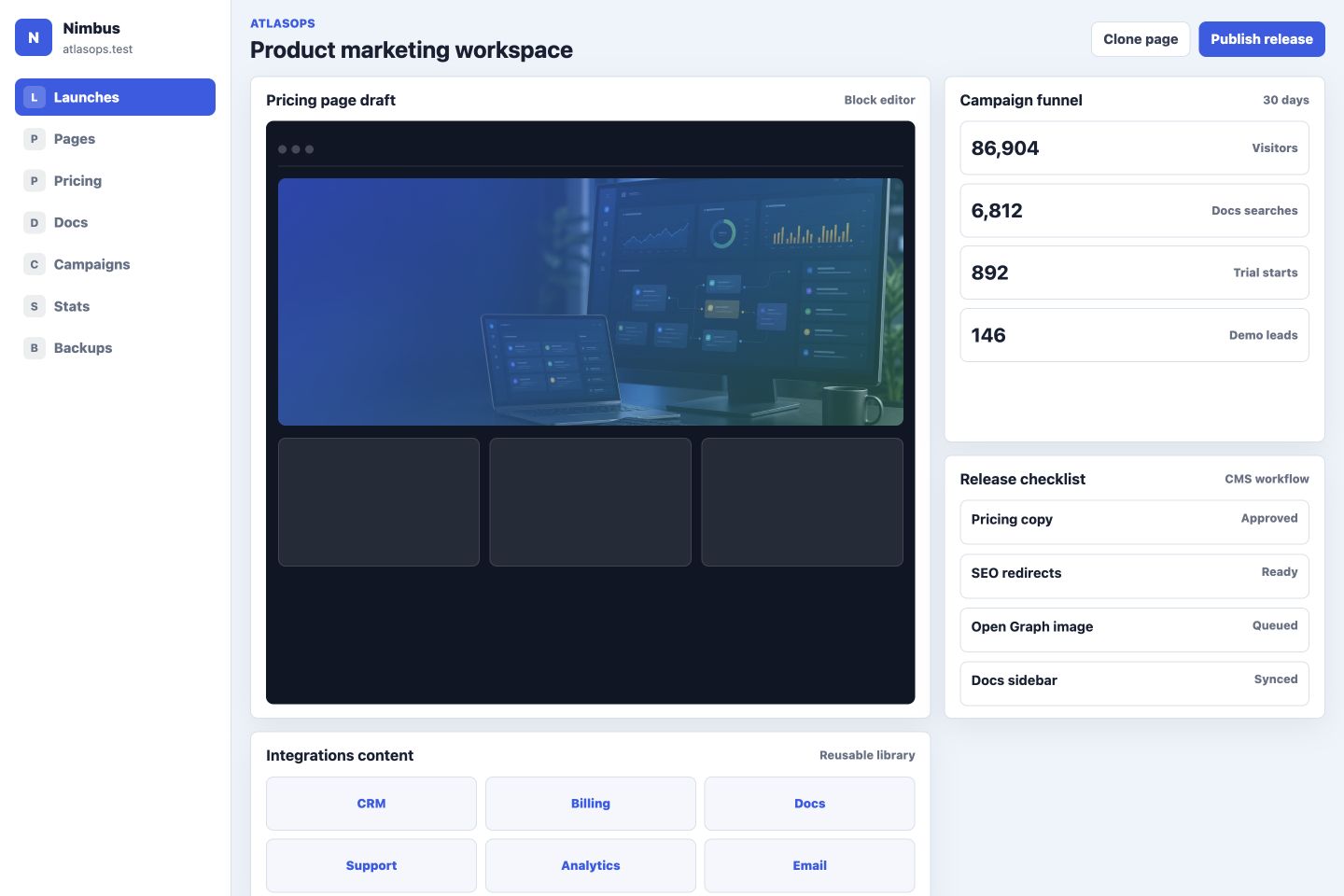
SaaS website with product pages, pricing, docs, campaigns, and leads
- Public site built around product positioning and conversion paths.
- Admin area shaped around launches, block editing, pricing changes, docs, and campaign stats.
Publishing
Editorial website with issue hubs, story workflow, media, events, and newsletters
- Public design behaves like an editorial front page, not a SaaS landing page.
- Admin area emphasizes story pipeline, front-page layout, reader signals, media, and audit trail.
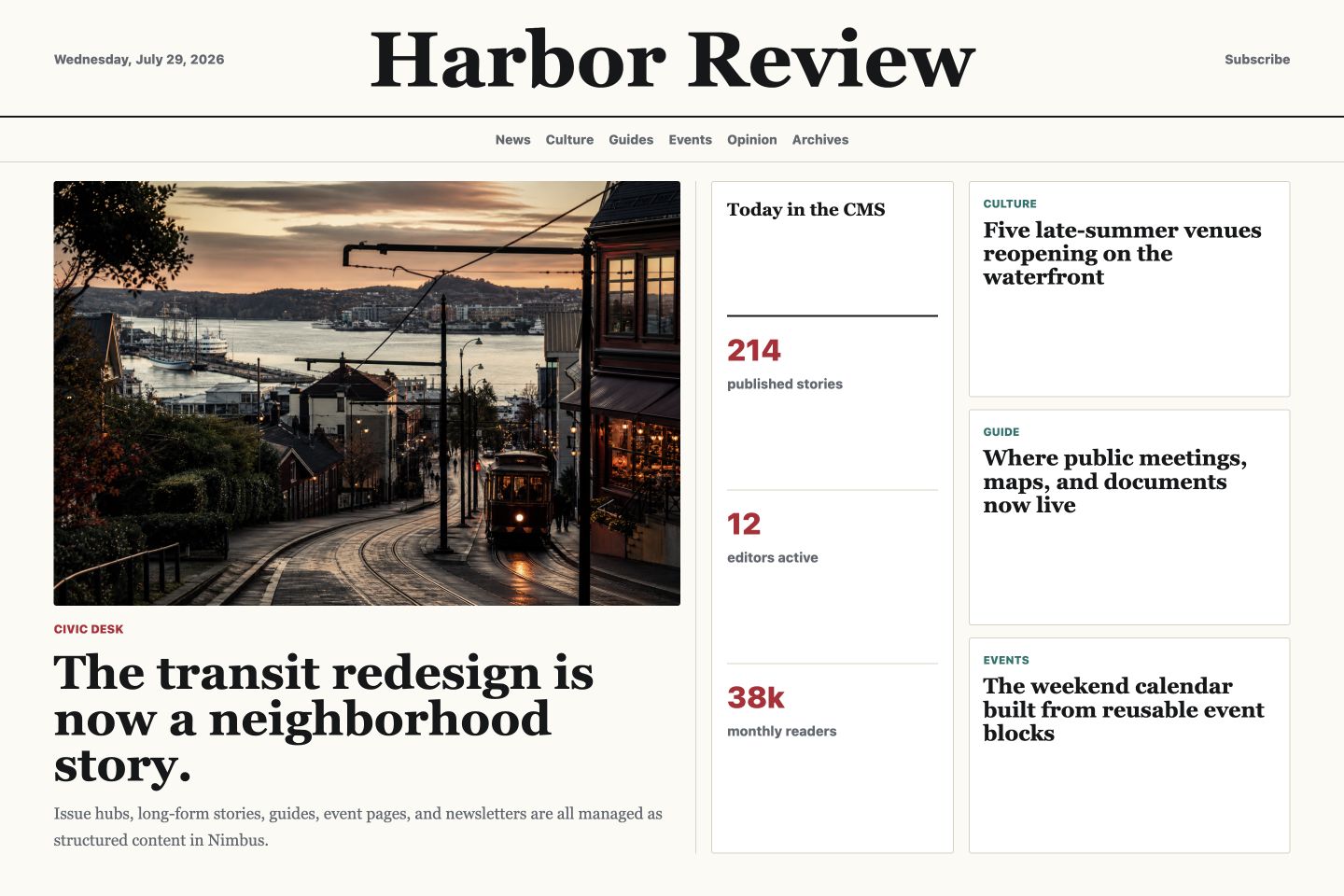
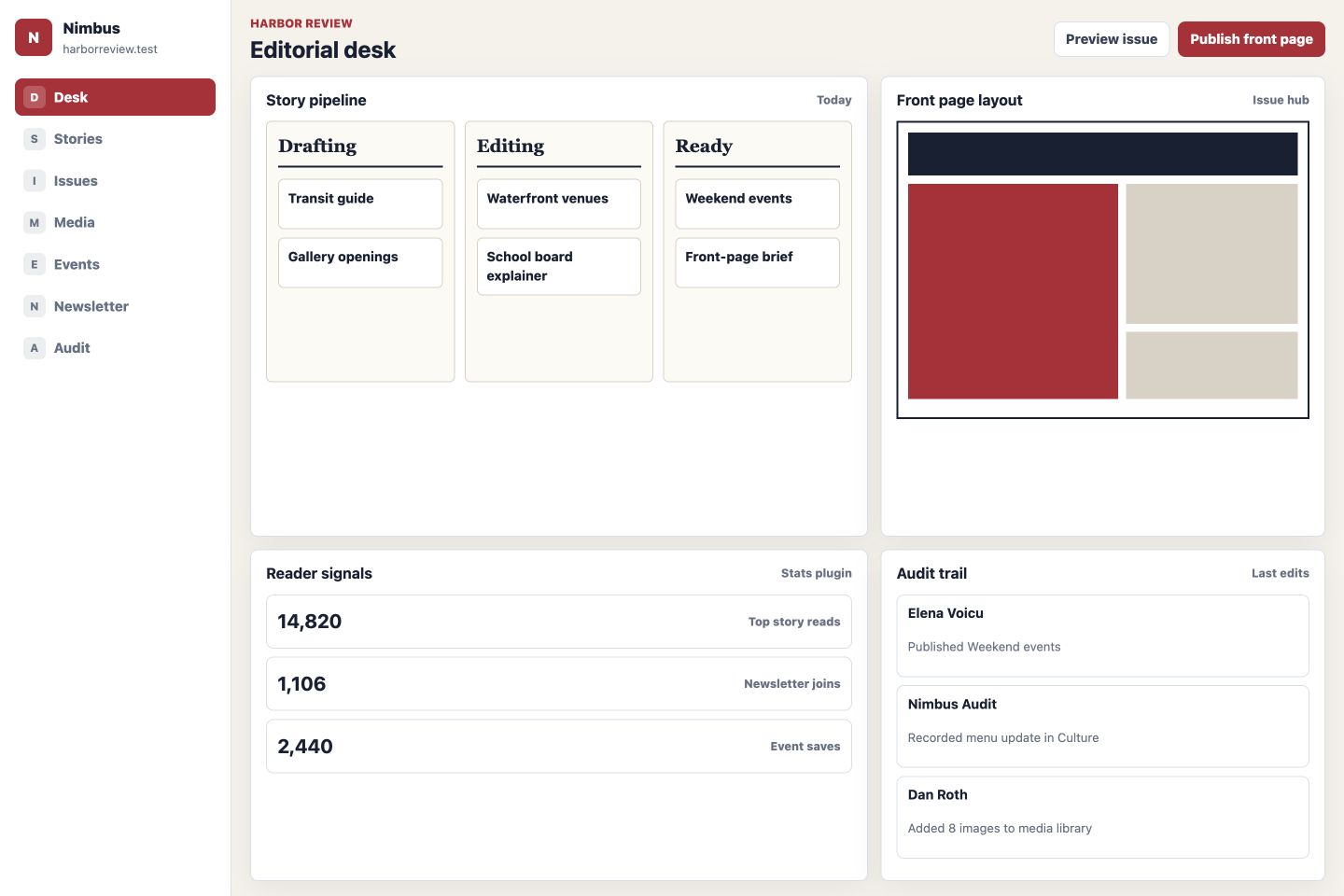
The examples are intentionally labeled as generated sandbox references, so the website shows capability without implying real clients, production deployments, or case-study results.
What a real website gets
| Need | Nimbus answer |
|---|---|
| Pages and templates | Create pages with one working draft, choose theme page designs, use reusable template slots, and publish without complicated version history. |
| Editing | Use a real rich-text editor with media, local page links, tables, and plugin-provided design blocks that render close to the final site. |
| SEO | Get guided metadata, canonical URLs, robots rules, social previews, sitemap output, schema, redirects, and 404 insight from the official SEO plugin. |
| Performance | Keep the visitor-facing runtime small, generate cached media variants, aggregate stats, and avoid heavy admin code in public page delivery. |
| Operations | Run structured backups, audit remote actions, collect cookie-free stats, manage forms, and inspect site health from the control plane. |
| Commerce-ready content | Use the product catalog plugin for browsable products and the e-commerce plugin for Stripe Checkout buy boxes, both inserted into pages as RTE blocks. |
The public site stays small
Visitors get fast pages, optimized media, SEO metadata, forms, and stats tracking without loading a full admin application.
Manage one site or many
A separate control plane can edit content, inspect health, read stats, preview themes, and run operations through signed remote API calls.
Visual content that still renders cleanly
RTE blocks come from Nimbus plugins, preview inline while editing, store portable payloads, and render through public block renderers.
Search visibility is first-party
Titles, descriptions, canonicals, robots, schema, redirects, sitemap output, social previews, and 404 insight belong in the official SEO plugin.
Images are served at the right size
Media variants are generated and cached for pickers, previews, RTE content, and large public displays instead of transferring originals everywhere.
Practical operations are built in
Backups, audit logs, site health, cookie-free stats, forms, and plugin migrations are official workflows, not side projects.
Product information can live in a reusable catalog
The official product catalog plugin manages products, optional categories, optional photos, public filtering, and a lightbox through an RTE catalog block.
Checkout stays a page block, not a hardcoded shop route
The e-commerce plugin adds checkout products, Stripe Checkout settings, and a buy-box RTE block that renders on any page.
How Nimbus stays structured
01Ship less to visitors
The public website does not need the admin UI. It serves pages, themes, optimized media, SEO metadata, forms, and stats tracking.
02Manage more from one place
The control plane talks to each site through signed remote API requests, so one interface can manage multiple installs.
03Extend without bloating core
Official plugins add RTE blocks, media, SEO, forms, stats, backups, audit logs, templates, and future product modules.
Built for extension
Nimbus plugins can add admin screens, migrations, permissions, protocol actions, RTE block definitions, editor previews, settings UIs, and public renderers. The core stays responsible for boot, routing, registries, events, storage, migrations, remote API, and errors.
- Use official plugins for common website work instead of forcing every install to carry every feature.
- Replace page editing, media, SEO, forms, stats, or blocks later without rewriting the runtime.
- Manage local or remote websites through the same control-plane model.
- Build modern business, product, service, documentation, portfolio, campaign, and nonprofit websites.
The practical promise
Launch complete websites without dragging the admin into every request
Nimbus gives you pages, menus, templates, visual blocks, media, SEO, forms, stats, backups, audit logs, and remote management while keeping the public runtime focused.
Explore features